
Start with the decision the app needs
Name the app owner, support contact, audience and data classification. Decide who must review a production release and what they need to see. A synthetic team dashboard and an app connected to sensitive records may need different review steps.
Direct to Production is the default. Configure staged Development, UAT and Production when your use case requires a human approval. Make that choice before treating the first deployment as a preview.
Use Direct to Production deliberately
In a Direct workflow, the deployment can reach Production after required checks pass, without a separate workflow approval. Direct does not remove checks for ownership, runtime readiness, access, data or configuration.
For a synthetic dashboard, confirm the owner, build result, deployment status and audience. Open the working app and inspect the direct provider path before you share it. A deployment status alone does not establish that the application meets your use case.
Configure a staged release path
A Tenant Admin can select the staged workflow. Deploy to Development, review the preview as an app manager and move the recorded release through UAT before requesting production approval.
Provide the reviewer with the app purpose, release, test result, data permissions, audience and support details. Promotion should identify the same immutable release that was reviewed. If the source changes, record and review a new release.
- Builder prepares and tests the release.
- Reviewer checks the named release and its intended scope.
- Authorized person records the approval decision.
- Owner verifies production and shares the correct launch link.
Keep data and launch permission explicit
Production approval, app audience and data access answer different questions. A production release decision does not grant every employee launch access, and copying a URL does not grant data permissions.
Data owners review data-product scope separately. Requests to broaden data access or visibility should name what changes and why. Agent tokens may prepare requests, but cannot record a human approval decision.
When a request is blocked
Read the reason and remedy on the request or app overview. Resolve missing ownership, failed checks or data permissions before asking a reviewer to approve. Avoid repeatedly deploying unchanged source to bypass the same gate.
For a build error, fix the source or build settings. For an access problem, check the selected environment and audience. Use the audit trail to inspect governed changes when the expected decision and the current state differ.
Verify the handoff
Open the production link as an intended user and confirm that a user outside the audience cannot launch through SpringRoll. Check direct provider access and application authorization independently.
Write down who owns the next update and how a colleague reports a problem. Use the worked guide to rehearse the complete handoff with a synthetic app before adding real company data.
Inspect a recorded release decision
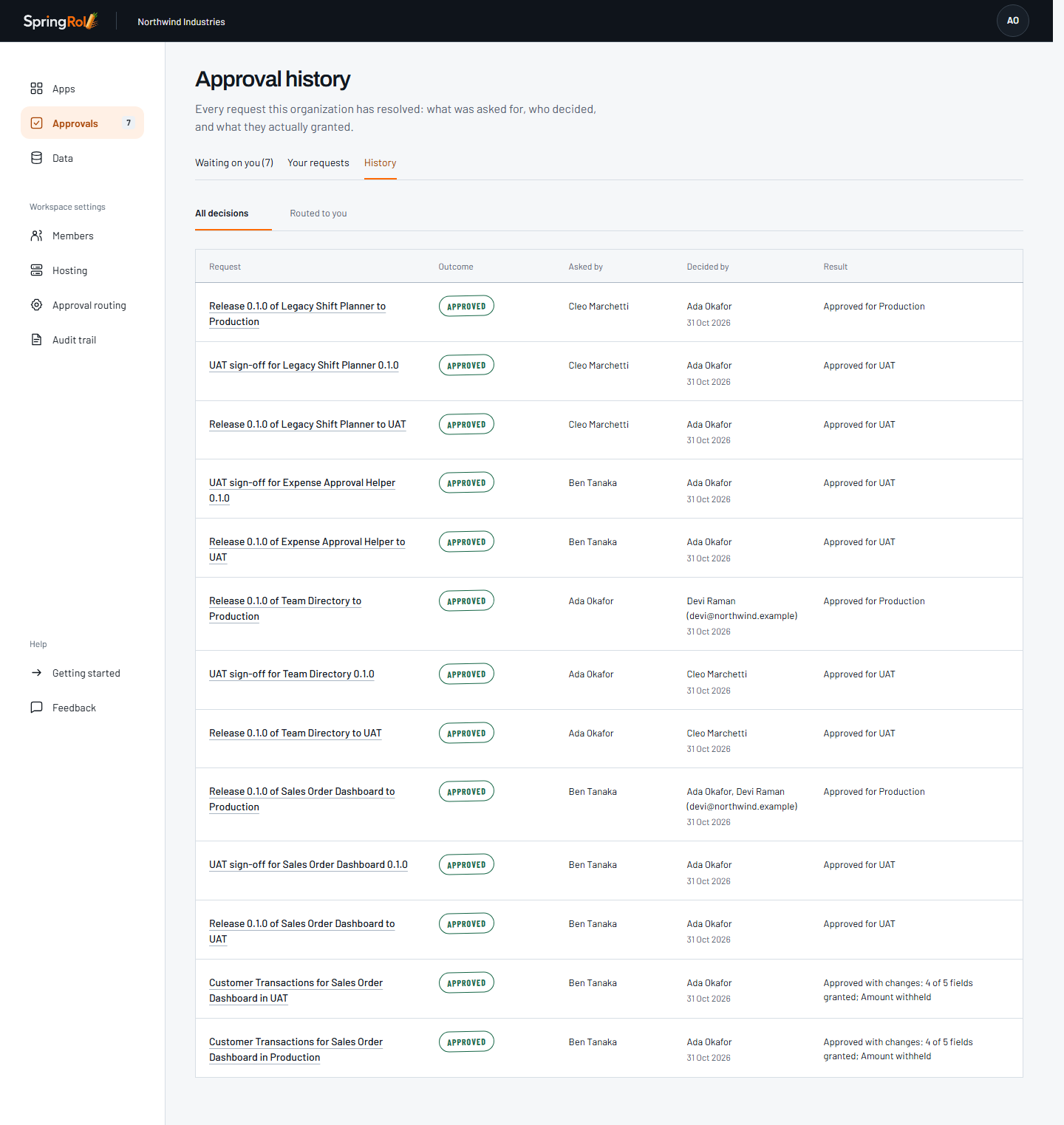
In the fictional Northwind Industries workspace, the approval history shows Approved for Production. App owner Cleo Marchetti requested version 0.1.0 of Legacy Shift Planner for Production. Tenant administrator Ada Okafor approved the release on 31 October 2026. To open that version, each employee still needs launch access through the app’s Production audience. Company data access requires a separate grant to this app.
Inspect a staged Deal Desk release
Mira Chen requested Production promotion for the tested version. Devon Shaw approved Deal Desk v0.1.0 for Production on 5 November 2026. The recorded decision time is 2026-11-05T15:15:22.278Z. The approval applies to release 6c8e5422-c6c3-4e31-b565-7d072c986180.
SpringRoll recorded the approval and deployment using synthetic workspace members and a simulated Vercel provider. The same release reached READY. Employees still need launch access in the Production audience.