
Before your first deployment
Use Node 24, your coding agent and a SpringRoll workspace. This example is a static HTML app with no external data source, source credential or production records.
Download and unzip the complete example project, or save the individual source files below into one folder. The fixture data is the same as the preview: five queues, 100 open cases and 20 overdue. This guide's build and browser checks can be repeated locally; deployment to a live provider still needs its own verification.
Identify your stack before choosing a runtime
Write down the build command and output folder, the runtime a request needs and where the app keeps its records. Test those assumptions in a clean production build before you choose a host.
Fix the local assumptions that break after deployment
Look for localhost URLs, secrets in browser code and writes to a local filesystem. For a team app, move shared records to durable storage and test them from a second account.
Before the first production build
Run the production build from a clean checkout. Record the command, output folder, required environment variables and the person who can fix a failed build.
- Replace localhost service addresses and remove credentials or customer records from browser bundles and fixtures.
- Check where records and uploads will survive a restart. A shared app needs a shared database or storage service. Review long-running jobs and persistent connections separately.
- Follow the actual deployment until READY. Run the main task, check the expected release, then try both an allowed colleague and someone outside the launch audience. Check direct provider access separately.
Build the synthetic dashboard
Open a terminal in the example folder. The build script copies index.html into dist without dependencies. Serve dist using any local static web server, or ask your coding agent to open it locally.
The app has a region filter, totals and a queue table. Confirm All regions shows 100 open and 20 overdue; North shows two queues, 42 open and 9 overdue. South shows 48 open and 10 overdue; West shows 10 open and 1 overdue.
- Switch the region using the keyboard.
- Compare the totals with the displayed rows.
- Check the table at a narrow mobile width.
- Confirm the page makes no request for company data.
npm run build
# Expected output: Built synthetic dashboard to dist/index.html
Describe the app and its runtime
Ask your agent to prepare an application manifest for a static app with build command npm run build and output directory dist. Start with private visibility and public data classification because the fixture is entirely synthetic.
Use your actual active workspace membership for the accountable owner and your real support contact. The short build fragment below is a configuration excerpt, not a complete manifest; the API capabilities endpoint supplies the current full contract.
build:
  framework: static
  buildCommand: npm run build
outputDirectory: distFollow the release to a working app
Keep the application, release and deployment references returned by the agent. Open the app overview and follow the build to READY. Inspect the executed provider, runtime and placement assumptions on its deployment receipt.
Open the provider URL on the deployment receipt and repeat the region-filter checks. Confirm the release and environment. If the build fails, open View build error, fix the source or build settings and deploy again.
Check the handoff before sharing
On the app overview, choose Copy app link. This is the link to give colleagues. They sign in and SpringRoll checks their access. Test it with one colleague in the audience and one outside it.
Use the security guide's direct-access checks before replacing the fictional fixture with company data. Verify application authorization and the source-specific data scope for the release and environment you will share.
For staged apps, share Test for review and Production for daily use. An optional Public app page introduces the app without changing permissions on the running application.
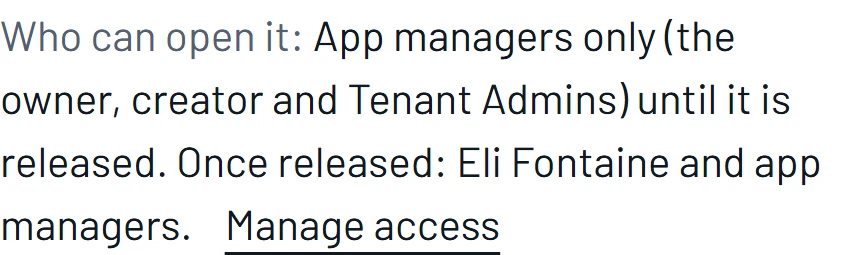
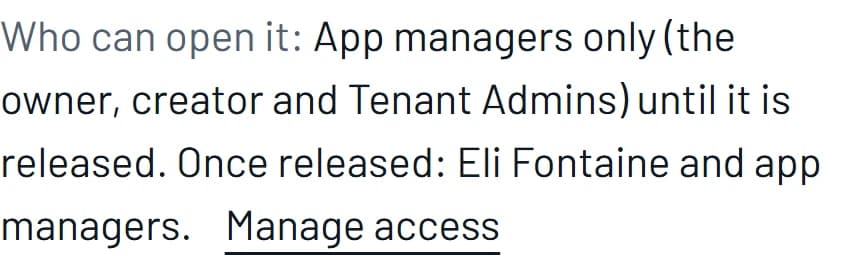
Example workspace · Development preview. Check Production and Test audiences separately. Copying a link does not change access.
Make one update and verify it
Change the app description or add a synthetic queue with your coding agent. Rebuild and recalculate expected totals. Deploy the changed source and check the latest attempt separately from the current working version.
A successful local check proves this example's build and interaction, not a live Vercel or Cloudflare deployment. Record the actual provider result after deployment. When you add company data, replace the fixture through a reviewed data product and test the app's response to denied or revoked access.
Which coding-agent setup should you use?
Choose the client that already holds the project. Register SpringRoll, authorize your workspace in the browser, and ask the agent to deploy. The guide covers Claude Code, Codex and other HTTP MCP clients.
Review hosting terms and the placement receipt
Check the selected provider, plan, estimated usage and limits in the deployment receipt. Verify the plan permits your organization's use. Keep the receipt with the release so the next owner can see how the host was chosen.
Choose the review process and preserve the decision
Direct to Production is the default. If your team needs a review before production, ask an administrator to configure Staged and name the reviewer. Record the release and environment they tested.
Make sharing a verified handoff
Use Copy app link for the environment you tested. Try the app link as an intended colleague and as someone outside the audience. Then test the provider URL separately: it has its own access controls.
Compare a deployment path with an app-building platform
Ask each provider to publish the same project and demonstrate who maintains the resulting source, runtime and access controls. Compare how your team would ship the next change.
Choose a focused next app
Try a small workflow your team can check from start to finish. A procurement owner can submit a fictional purchase request and ask a reviewer to send it back for a missing quote.
Frequently asked questions
Does a successful local build mean the app is deployed?
No. Wait for the managed deployment to reach READY, open the provider URL and repeat the task you tested locally.
Do I need a separate provider account?
SpringRoll manages the hosting account for its managed path. You still need a workspace, appropriate permissions and an application compatible with an available workload.
Will the first release automatically be a preview?
No. Direct to Production is the default. A Tenant Admin must configure the staged workflow when Development, UAT and Production review is required.
Can a coding agent approve the release?
No. An agent can prepare the request and explain the next action, but it cannot record a required human approval.
Is a portal audience enough to protect the provider URL?
No. Direct access needs separate protection. Follow the security checklist linked in the sharing section and test that path independently.
When should I connect real company data?
After the task, runtime and access boundaries are clear. Request the smallest environment-specific grant and verify both permitted and denied behaviour before expanding use.
Who owns the app after the builder leaves?
Name an accountable replacement through the governed handoff and review support details, source access, launch audience and data grants. Do not rely on sharing the builder's login.